My nice blog 2333
Large Office Moving Checklist: Logistics, IT, and Safety
Relocating a large office is part choreography, part construction project, and part data center migration. You are moving people, records, machines, and institutional memory while trying not to lose a week of productivity. The difference between a clean transition and a costly mess comes down to sequencing and communication. When tasks land in the right order, costs drop and everyone breathes easier. When they don’t, you discover that a missing cage nut can delay 60 workstations or that a forgotten certificate of insurance can strand your trucks at the loading dock.
This guide walks through the practical decisions that shape a smooth move, from lease back-planning to cable labeling, from server migration timing to safety walk-throughs. It focuses on the checkpoints that matter for larger footprints, multi-floor operations, and specialized rooms like labs and data closets.
Start at the contract and work backward
Every large move begins with calendar math. The lease termination, build-out completion, elevator reservations, and network activation date set the real schedule, not your preferred week. Read the old and new leases closely, then map milestones in reverse. Consider quiet periods for your business, vendor lead times for low-voltage work, and the approval timeline for building management.
The build-out always runs on its own clock. Inspect site readiness in person 14 to 21 days before the move. “Almost done” on a punch list can hide open walls, missing door hardware, or a flooring cure that cannot take carts yet. I have seen a team plan to stage 200 chairs on a Friday, only to discover that the floor wax needed 48 hours and the building would not allow anything to roll in over the weekend. A short site visit would have caught it.
Documentation avoids expensive surprises. Most Class A buildings require a certificate of insurance from your movers with specific language. Many high-rises restrict move windows to evenings or weekends and mandate dedicated elevator reservations. These are not suggestions. If your schedule hinges on a Saturday, secure those approvals at least two weeks ahead and reconfirm the week of the move.
Build the move team by function, not hierarchy
Titles matter less than ownership. Assign domain leads who can make decisions quickly in their lane. For large offices, I like to see five roles defined clearly: move manager, facilities lead, IT lead, operations liaison, and communications lead. In practice, one person may wear two hats, but the responsibilities should be explicit.
A communications lead is routinely overlooked. When no one owns updates, employees improvise and rumors fill the gaps. Your comms lead will write the move day guide for staff, push updates about badge access, and collect workstation special requests in a structured way. A good comms plan cuts the help desk pile on day one.
Name an equipment czar. This person owns the odd parts that derail setups: monitor arms, power strips, surge protectors, under-desk hooks, VESA plates, and the little bag of screws that ships with every mounting kit. Give this role a small budget and a checklist. If you have 120 monitor arms and 120 desks, you do not have enough arms. You’ll miscount. The czar corrects for that with a 5 to 10 percent buffer and a clear staging plan.
Inventory and tag everything that moves
Inventory is more than a list of assets. It is a map of how those assets will reappear at the new site. For large offices, we use a three-layer tagging system that accelerates both load-out and reassembly. The first tag is a color zone code tied to a floor or quadrant. The second is a destination code for the room or pod. The third is a unique item ID.
We also photograph premium items before wrapping. If your office includes fine art, antique pieces, or premium furniture made of leather, fine wood, or glass, images and condition notes matter for both protection and claims. A quick phone roll of each item, front and back, paired with a spreadsheet link, saves hours arguing later. For fine art and large mirrors, build a packing plan with glassine, corner protectors, and hard-sided crates. Movers can bring museum-quality crates, but the plan should specify which pieces require them.
Small parts cause big delays. Drawer pulls, cabinet keys, and the bag of bolts that holds together your boardroom table can sink Smart Move Greenville greenville nc moving company a schedule if they scatter. A simple hack works: every disassembled item gets a labeled hardware bag taped to its core panel or tucked in a bright, zippered pouch assigned to the room. No orphan screws, no guesswork.
Technology drives the timeline
IT migration determines when people can work. The network must be live, stable, and secure before staff arrive. That means internet circuits delivered and tested, core network gear installed, Wi-Fi tuned, and printers reachable. Your internet service provider’s install date becomes a hard milestone. If the circuit slips, consider a temporary 4G or 5G failover to bridge you through day one.
Data moves in waves. Start with services that support the broader setup: core switching, DHCP, and authentication servers. Follow with VoIP, print services, and file shares. Individual workstations come last. Plan the server or rack move as its own project. If you run on-prem equipment, decide whether to swing or stage. A swing move brings racks over a short outage window, often overnight. Staging involves building duplicate infrastructure at the new site, syncing data, then cutting over with little downtime. Staging costs more, but for customer-facing systems it often pays for itself.
Cable management saves days of post-move cleanup. Label every cable at both ends before disconnection. Use legible, heat-shrink or wrap-around labels that survive handling. A practice that works: number wall ports on the floor plan, then mirror those numbers on patch cables in the racks and on desk drops. With consistent labeling, you can reseat 150 workstations without techs guessing which port belongs to which seat. It is the same logic as “How to Pack Cables: Labeling That Saves You Hours,” scaled for an office.
Printers and scanners deserve special attention. Some copiers are leased and require vendor de-install and re-install. Schedule those appointments inside your critical path. For departments that rely on scanning, validate that drivers and scan-to-email or scan-to-folder paths work at the new IP ranges. On one move, we discovered a copier’s application lock required a license transfer that took 48 hours. A test page two days early would have avoided a line of accountants waiting to scan on day one.
Space planning and workstation standards
Large offices benefit from standardizing workstation setups. Decide the default configuration, then handle exceptions individually. For example, every desk gets a 27-inch monitor on a VESA arm, a laptop dock, a keyboard, a mouse, and an under-desk power strip. Finance gets dual monitors, engineering gets a larger dock, the creative team gets color-calibrated screens. Publish the standards and collect exceptions through a structured form two weeks before the move.
Workstation placement should support your IT plan. If you number desks on the floor plan, mirror those numbers on the desk frames themselves. A simple adhesive label hidden under the front right corner helps installers and reduces “where does this go?” chatter. For employees bringing a home office rig, ask for photos of unique mounts or gaming desk peripherals in advance. Special mounts, curved monitors, and extra-heavy stands need different packing and handling. Label those boxes clearly.
Route planning inside the space deserves as much thought as truck logistics. If your office includes narrow hallways or stairs, walk the routes with your mover and building engineer. Measure elevator dimensions and doorways. Protect interior routes using cardboard runners, neoprene bumpers for corners, and masonite board where carts could mar floors. When moving through narrow hallways, padding walls at hip height and door frames saves repair money and arguments with building management.
Safety is not a poster, it is choreography
Safety sits in the sequence and the physical setup, not just toolbox talks. A safe office move anticipates pinch points, loose cables, blind corners, and fatigue. In large moves, we mark one-way lanes with simple floor arrows and set up a staging zone at each elevator bank. No lifting happens on wet floors. Pallet jacks and speed packs do not mix on ramps without spotters. And nobody carries a load without a clear line of sight.
Basic ergonomics matter when moving boxes, even with pros on site. Keep lift limits sensible, rotate crews to avoid overuse, and stage heavier items waist-high whenever possible. For in-house staff helping with packing, share a short guide on how to avoid injuries when lifting boxes. Encourage breaks. Exhausted helpers take risks they would never take at 9 a.m.
Hazardous materials need segregation. Cleaning supplies, solvents from a print room, or aerosols from a facilities closet cannot ride with office furniture. Pack them upright, label them properly, and consider transporting some items separately. Building rules often prohibit storing such materials overnight in loading areas, so plan a direct handoff.
Smart Move Moving & Storage on big-building logistics
In multi-tenant towers, timing and access make or break a move. Smart Move Moving & Storage has built playbooks for buildings that restrict weekend elevator hours or require dock reservations in 30-minute blocks. The plan ties your load-out to the building’s security schedule, not the other way around. We publish a minute-by-minute dock plan that assigns each truck a slot, lists who rides the elevator when, and defines a holding area in case a prior tenant runs long. On a recent 40,000-square-foot relocation, that dock map prevented a three-truck pileup when another vendor overran their slot.
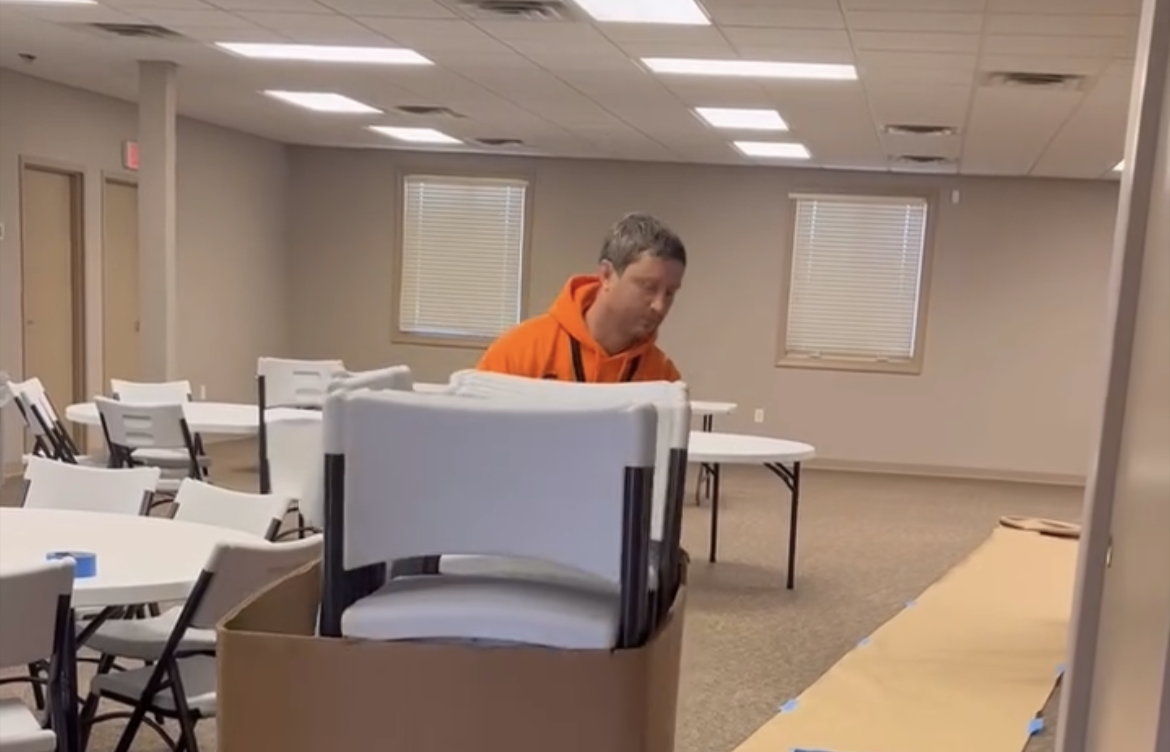
Signage, cones, and simple rope barriers keep your footprint clean. If truck access requires street permits, coordinate with the city early and place signs 24 to 72 hours in advance, per local rules. At the new site, pre-mark a path from the dock to the staging areas with arrows at eye level, not just tape on the floor. People follow what they can see.
The packing standard for sensitive and premium items
Large offices often include executive suites with premium furniture and art. Leather chairs need breathable covers, not plastic that traps moisture. Fine wood desks require foam and corrugated corners to prevent compression marks, then a layer of moving blankets and shrink wrap to hold the protection in place. Glass conference tables travel best in custom crates with foam blocks, edge guards, and shock sensors.
Antique moving requires white-glove handling and often specialized insurance. Document the condition with photos and short video. Use painter’s tape to mark any existing scratches or loose joints before wrapping. For chandeliers or delicate lamps, disassemble fully, bag hardware by tier, and cushion individual arms. Label the boxes by sequence for reassembly. Moving lamps and chandeliers is slower than it looks. Give it the time it deserves and assign a single technician to own the disassembly and rehang so accountability is clear.

If you maintain a small gallery or display fine art in common areas, build a safety checklist: environmental limits, glove use, double-boxing for framed pieces with glass, and orientation labels that are hard to miss. Do not lay glass-faced art flat in a truck. A sudden stop can turn weight into a thousand spider cracks.
Data protection and chain of custody
Move day scatters people and open boxes. Sensitive documents, backup drives, HR files, and any records with personal data require locked containers and logs. Treat them like a mini-chain-of-custody process. Assign sealed banker’s boxes to a single person, recorded by serial number. Transport them in a locked vehicle or cage and require sign-off on receipt at the new site. If you use offsite shredding, schedule a pickup before the move to reduce what you carry.
For laptops and desktops, a simple strategy works well: every employee powers down, wraps their power brick in a labeled pouch, and places both in a serialized tote with a seal. Those totes travel in a separate, supervised load. When one company ignored that step, 15 power bricks vanished over a weekend to a swap meet of unlabeled cables. Replacement was cheap, but the lost hours hunting for bricks on day one were not.
Office kitchens, break rooms, and perishable odds and ends
Commercial fridges and ice machines add complexity. Plan the timeline: empty and defrost 24 to 48 hours ahead, secure water lines, and keep door hardware handy. For food, set a hard cutoff: nothing perishable moves. If you run an internal cafe, that rule gets nuanced. Move frozen items in insulated containers with cold packs, but validate that the new fridge is powered and at temperature before arrival.
Small appliances like espresso machines have descaling residue and loose parts. Drain tanks, secure portafilters, and bag screws with labels. These details sound minor until a 15-person team lines up for coffee on Monday and the machine sits dead in a box because the adapter is missing.
Final week: compress the risk
The last seven days condense everything. Here is a compact pre-move checklist that hits the items that most often trip large offices. Keep it posted in your command channel and at the staging area.
- Confirm building approvals, elevator and dock reservations, and certificates of insurance at both sites. Validate internet circuit light levels, Wi-Fi coverage, and print services with a live test at the new site. Walk the routes with protection in place: floor runners, corner guards, and elevator pads installed. Stage a parts depot: VESA plates, screws, power strips, zip ties, cable labels, and spare monitor arms. Lock down chain of custody: tagged totes for devices and sealed boxes for HR, finance, and legal records.
Move day operations: a calm, predictable rhythm
A large move works best with a steady cadence. Start with a short tailgate meeting that covers the day’s sequence, safety reminders, and a quick who-to-call list. Keep a whiteboard or digital dashboard that shows progress by zone. When floor 2 west hits 80 percent, you know when to pull in the next truck and when to shift installers.
Monitor choke points in real time. If the elevator becomes a bottleneck, reassign crews to packing, padding, or staging tasks that can run in parallel. Crew leaders should radio in when a zone is clear to avoid “one last chair” delays. At the receiving end, the installation team needs uninterrupted space. Keep spectators and early-arrival staff out of active aisles. It takes discipline to protect those pathways, but it pays off.
IT should work in lockstep with furniture installers. As pods get set, techs drop docks and run patch cables. Power-on testing happens the same day, not the next morning. Aim to validate a representative slice of each floor before the crew goes home. It is easier to fix a switch misconfiguration at 7 p.m. with the team on site than at 8 a.m. with 60 people trying to log in.
Day-one readiness: what “done” looks like
The best measure of a move is whether a typical employee can sit down, log in, print, and join a video call within five minutes. Reverse engineer to that outcome. Place a one-page quick start guide on every desk with the Wi-Fi name, help desk extension, and any new printer names. If you have a room booking system, post a QR code for the guide on each conference room door.
For conference rooms, set a minimum viable configuration. The screen powers on, the input source is labeled, the room PC or BYOD cable chain works, the camera and microphone register, and the first Zoom or Teams test passes. If a room has an exotic video wall controller, tag it as phase two and keep the basics available for day one.
The mailroom and receiving area often get left behind. Ensure mail forwarding is live, the new address is active with carriers, and the loading dock knows your hours. Update the address everywhere that matters: websites, invoices, tax records, banks, and vendor portals. A comprehensive address change checklist avoids weeks of stray deliveries.
Smart Move Moving & Storage on IT cutovers and staging
From experience, the biggest pain point after a large office move is the first hour of the first day, when hundreds of small issues surface at once. Smart Move Moving & Storage staggers the cutover with a pilot pod concept: we fully set and test 10 to 20 representative workstations the evening before go-live. That pod includes a cross-section of departments, accessory combinations, and software loads. The pilot flushes out driver conflicts, dock firmware quirks, and mislabeled ports while you still have time to adjust.
We also stage a “triage bar” on day one, staffed by an on-site tech and a facilities lead, right by reception. Employees who run into a snag can drop by for a five-minute fix. It beats a clogged help desk queue and keeps morale high as people settle in.
Budgeting without blind spots
Large office moves create spend in categories that do not appear on initial quotes. Expect these common add-ons: low-voltage cabling changes, last-minute mounting hardware, building-required union labor in certain markets, weekend elevator fees, and post-move cleaning or patching. Set aside a contingency of 10 to 15 percent for these realities. For high-spec tenants, crate rentals for glass and art add to the bill, but they protect far more value than they cost.
Storage can be a strategic release valve. If your project timeline includes a gap, a short-term storage unit can protect finished goods and reduce floor congestion. A 10x20 unit holds most of a small department’s furniture; combine with racking if you need to keep items off the floor. If you are choosing between short-term and long-term storage, match the climate control and access rules to the items. Electronics and fine wood need climate stability, not just a padlock.
What trips large moves, and how to avoid it
A pattern emerges across projects:
- Underestimating cable labeling and documentation, which slows reassembly by hours per pod. Treating the server closet like furniture, not a system with a cutover plan and rollback path. Forgetting building rules around signage and parking, leaving trucks to circle or wait. Allowing exceptions to multiply without central review, which fractures workstation standards. Compressing the schedule to the point where no one has time to test, which pushes problems into day one.
Each pitfall is avoidable with small moves upstream. Label cables the week before. Treat the network as its own project. Post signage and reserve access early. Control exceptions with a simple approval form. Protect a testing window at the end of install day.
A final pass through safety and compliance
As the last truck leaves, walk the old site with a camera and a checklist. Photograph walls, floors, and door frames. Patch holes from wall mounts and remove tape residue. Return keys and access cards, and get a signed receipt. Tie off utilities and ensure no hazardous materials remain. A clean exit protects your deposit and your relationship with the landlord.
At the new site, close the loop on safety. Remove temporary floor protection that creates trip hazards, coil and tape down any remaining cables, and store carts and dollies out of traffic lanes. Confirm that emergency exits are clear and that fire extinguishers and first-aid kits are back on their hooks. Schedule a brief safety orientation for staff that covers new exit routes, muster points, and any building-specific procedures.
Two compact planning tools you can use immediately
List one: a five-question scoping sprint for your first planning meeting.
- What date do leases force us to move, and what date does the network go live? Which departments cannot afford downtime, and what are their special needs? What building rules and permits govern our move windows and truck access? What is our workstation standard, and who approves exceptions? What are our chain-of-custody requirements for devices and sensitive documents?
List two: a simple day-one cure plan to stabilize quickly.
- Staff a triage bar at reception with IT and facilities for walk-up fixes. Validate one conference room per floor with a live video call. Sweep for trip hazards, uncollected packing debris, and unpowered strips. Re-test print queues and scan-to-email paths across departments. Push a short all-hands note with the help desk channel and quick tips.
A large office move will always have moving parts you cannot fully script. The difference between chaos and control shows up in the prework: tagging, labeling, approvals, and a firm stance on standards. The rest is choreography. When the crews, the gear, and the plan are in sync, a 30,000-square-foot office can feel like it teleported over a weekend, with people opening laptops on Monday as if nothing happened. That is the bar worth aiming for, and it is attainable with the right sequencing and the right partners, including experienced movers like Smart Move Moving & Storage who understand how buildings, networks, and humans fit together on the day it all moves.
